
Your follow-ups, handled.
Megaphone turns every call and voice note into a to-do list: who owes what, by when. Some to-dos come with a button. Approve it, and Preeya does it.
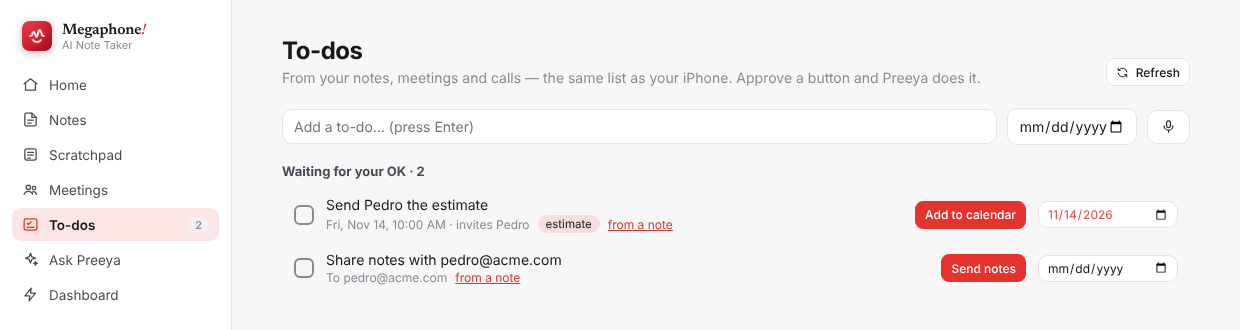
Waiting for your OK
To-dos with a ready action: send the notes, add the meeting to your calendar.
Overdue · Today · Upcoming
Your list sorts itself by due date, so nothing slips.
Add by voice
Say a to-do instead of typing it. It lands on every device.
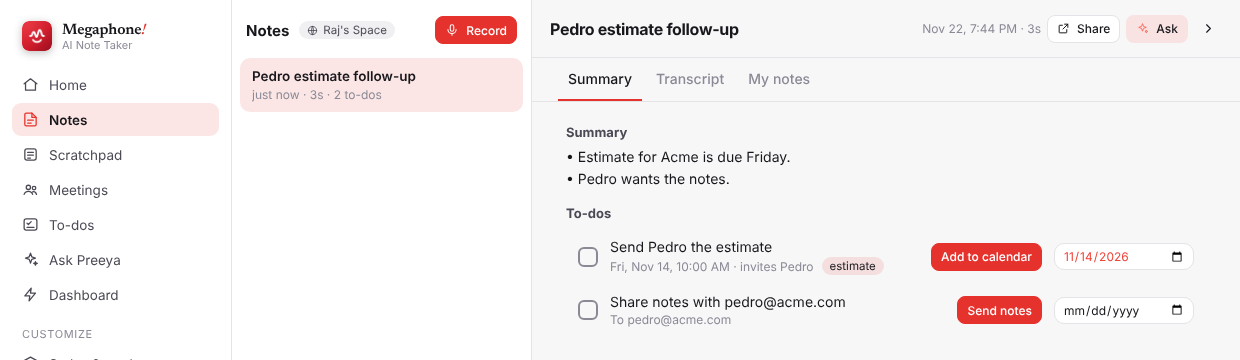
Inside each note
Questions people ask
Does Megaphone send anything without asking?
Do to-dos sync with my phone?
Is there a separate to-do app?
Keep reading
Meeting notes
Megaphone writes AI meeting notes for Zoom, Google Meet, Teams, Slack and phone calls. Record without a bot or send Megaphone. Live captions, summaries and to-dos. Works offline.
Ask Preeya
Preeya is the assistant inside Megaphone. Ask about any call (“What did I promise the client?”) or have her draft follow-ups from your meeting notes.
See the app
Screenshots of Megaphone: to-dos with one-tap actions, meeting notes, and the Android app with its voice keyboard.
Try Megaphone free.
30 minutes free. No credit card. Mac, Windows, Linux and iPhone.